

Color workflow
Palette Library
Capture, organize, and ship real color palettes.
Turn colors from photos, your camera, and Safari into reusable palettes. Organize your references, check contrast, and export colors into your design or development workflow.
iPhone · iPad · Safari Extension
$4.99 USD, one-time purchase. No subscription. Local App Store pricing may vary.
A practical capture-organize-export loop for design and development work.
- Grab colors from photos, your camera, or any webpage
- Export to CSS, JSON, ASE, CSV, PNG, JPEG, and GPL
- WCAG contrast checks and color-blindness previews, built in
- Share and import palettes without a cloud round trip
- No analytics
- No ads
- No data resale
- Private iCloud sync
- Safari extension included
Everything you actually need. Nothing you don't.
Grab color from anywhere
Sample from a photo, your camera, or any webpage via the Safari extension — no screenshotting, no color-picker browser tab.
Treat palettes like real assets
Search, annotate, reorder, and save as many sets as you want. Your references stay organized instead of buried in Figma files.
Export straight into your work
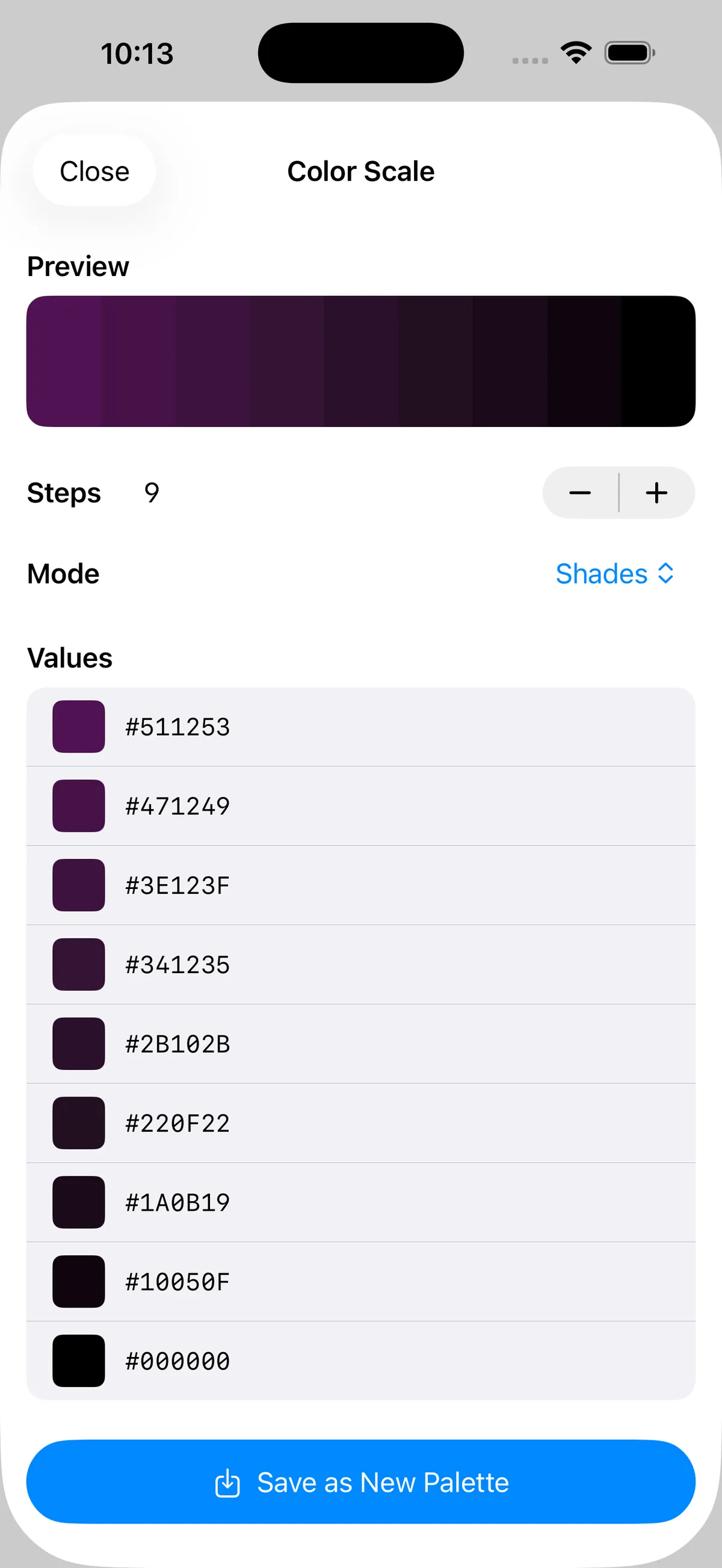
Push palettes to CSS variables, JSON, CSV, PNG, JPEG, ASE, or GPL — no retyping hex codes into yet another project.
Design for the real world
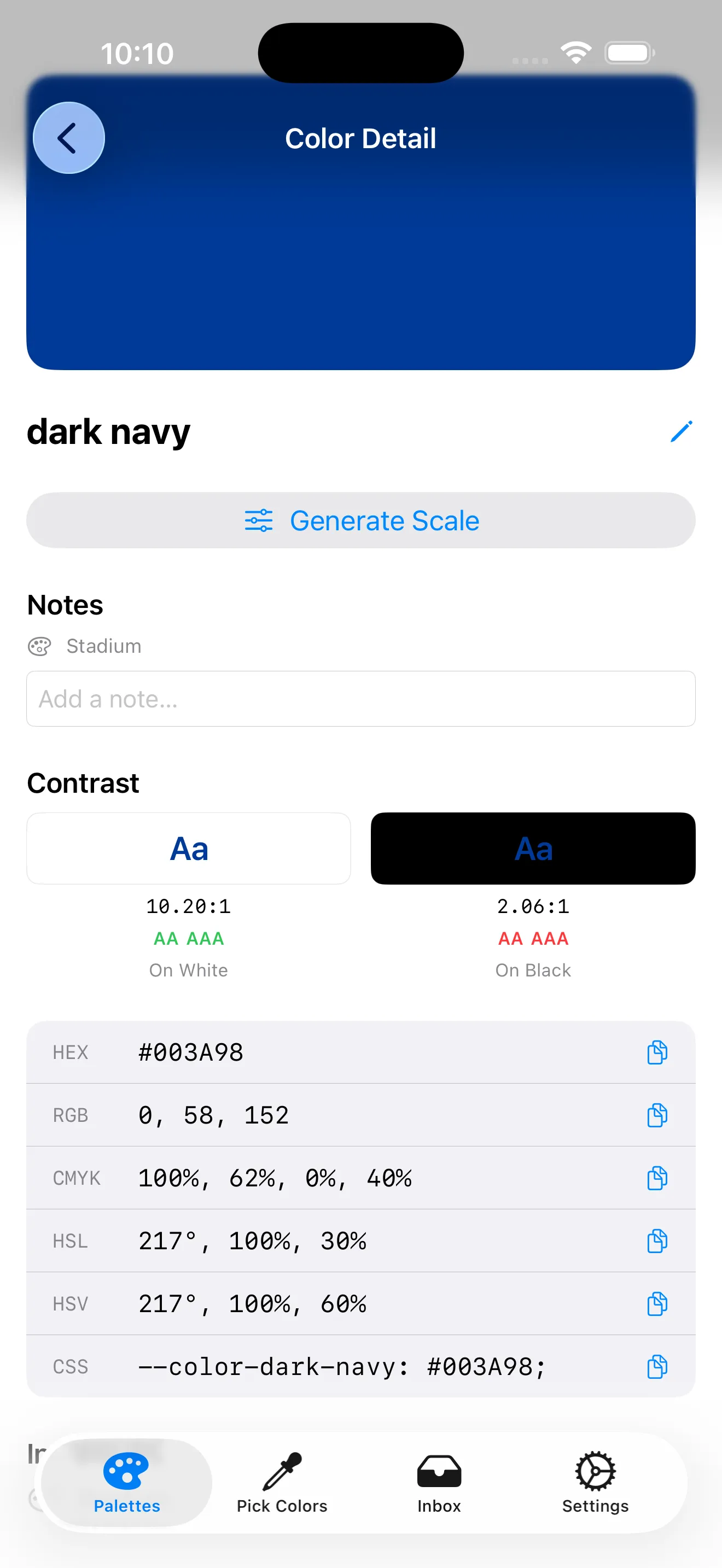
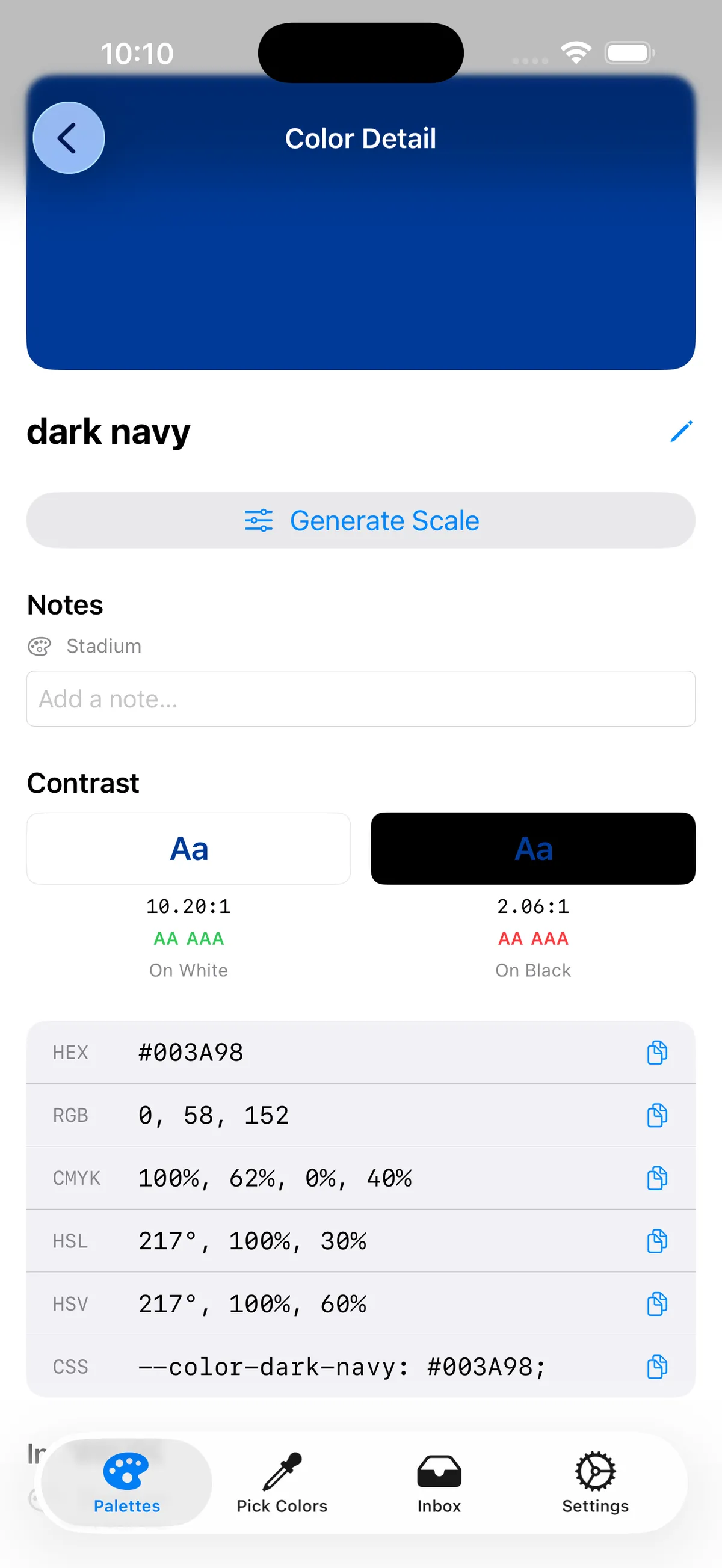
Check WCAG contrast, preview color-blindness simulations, and lean on harmony suggestions when a palette has to survive production.
A closer look.
Select a screenshot to see the details in a new tab.
Built for the way you actually use it.
- Built for design workflows, not generic color pickers
- Safari extension pulls color straight from live pages
- Export targets cover both design tools and developer formats
- On-device processing, with private iCloud sync when you want it
Get Palette Library
$4.99 USD, one-time purchase. No subscription. Local App Store pricing may vary.

Quick answers.
- Who's this for?
- Designers, developers, illustrators, and anyone who works in color and wants a reliable capture-organize-export loop.
- Does the Safari extension phone home?
- No. Captured colors and page references stay in the app's local container on your device. Nothing is sent to us.
- Can I use exported palettes commercially?
- Yes — personal or professional work, no strings attached.
- Which export formats are supported?
- CSS, JSON, ASE, CSV, PNG, JPEG, and GPL — covering both design tools and developer workflows.
- Can it check accessibility?
- Yes — WCAG contrast checks and color-blindness previews are built in.
- Does it sync between devices?
- Processing happens on-device, with private iCloud sync when you want your palettes on both iPhone and iPad.
Color guides.
Plain-English explainers for practical color work — the same contrast checks and color-blindness previews Palette Library has built in.
Other apps.
What's new · Privacy · Terms · Support